The field of software development is undergoing continuous transformation, and AI assistants are here to stay. AI is not about replacing coders, but empowering them. As routine tasks and cognitive load decrease, developers are left with more time for creative problem-solving and architectural design. At its best, an AI assistant acts as a tireless sparring partner, helping to clear obstacles from the programmer's path and produce significantly more high-quality code, faster.
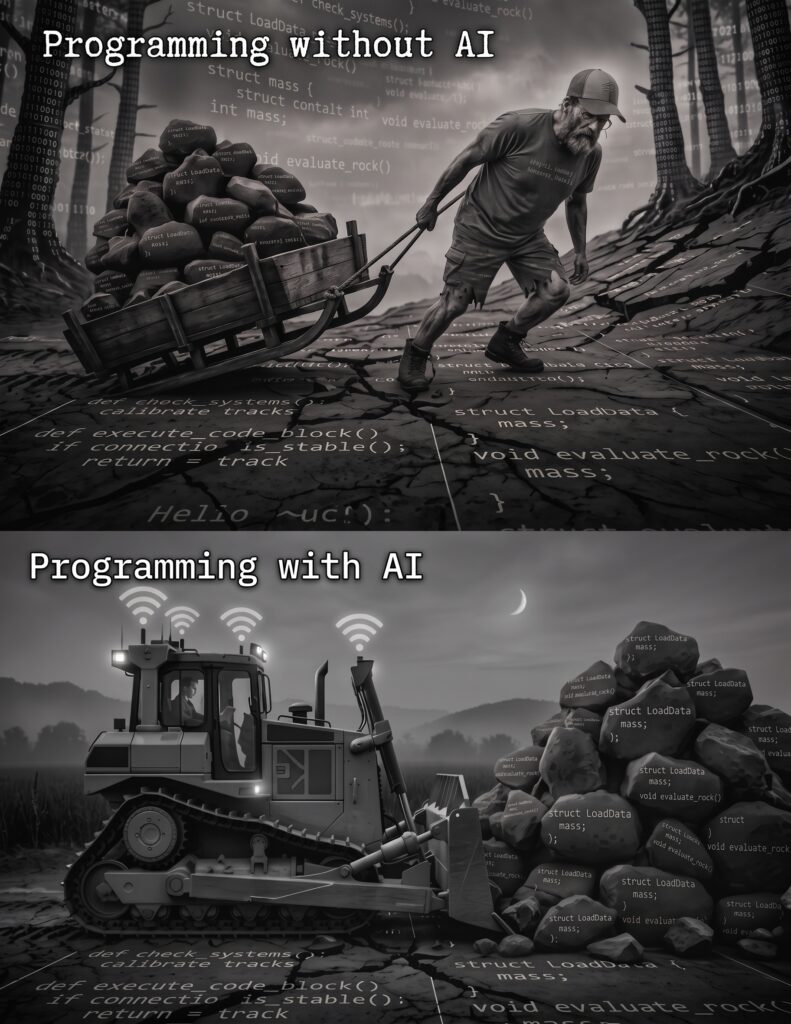
(Image generated by AI)
Below are a few practical and low-threshold ways to quickly see the benefits of an AI assistant.
1. Explaining and documenting code
Have you ever opened a years-old project and wondered what a specific complex function actually does? You can simply ask an AI assistant: ”What does this snippet of code do?” It can break down the logic into understandable language in seconds. Furthermore, AI is a brilliant helper in creating missing documentation or comments. It removes the traditional pain of documenting and helps keep the codebase readable for the whole team.
Example promptAnalyze the code snippet below and explain its operational logic step by step as if you were teaching a junior developer. Once you have explained the code, generate clear and standard-compliant JSDoc/Docstring comments for it.”
2. Troubleshooting and debugging
Sometimes the code just doesn't work, and your own eyes become blind to errors. Artificial intelligence acts as a brilliant digital ”rubber duck” (rubber duck debugging). When you feed the error message and the related code to the assistant, it can often quickly point out potential pain points, such as missing null checks or asynchronous timing issues. This removes many moments of frustration. Just feeding in the error message is often too narrow. The best result is produced when you ask the AI to analyse the root causes as a ”rubber duck”.
Example prompt: ”This snippet of code [insert code] throws the following error message: [insert error message]. What could be causing this? List the three most likely root causes in order of importance and suggest a fix for the most likely one. Also briefly explain how I can avoid this error in the future.”
3. Writing tests
Writing unit tests is sometimes seen as a necessary evil that is easily pushed aside when things get busy. An AI assistant is really skilled at generating the basic skeletons for tests. It can also suggest various edge cases that you might not necessarily think of yourself right away. In this way, code quality and test coverage increase without massive extra work.
Example promptWrite unit tests for this function [insert code] using [testing library, e.g. Jest or PyTest]. In addition to the basic case, generate at least three tests for edge cases and error handling (e.g. null inputs or unexpected data types).”
4. Refactoring and Pre-Code Review of own code
Code blindness affects even the most experienced developer after a long day. Before opening the actual pull request for the rest of the team to scrutinise, AI can be used as an immediate and merciful pre-reviewer.
You can show your snippet of code to the assistant and simply ask: AI is often able to suggest more elegant naming conventions, the removal of unnecessary repetitions (the DRY principle) or the use of more modern syntaxes.
This is not only quality assurance, but also a fantastic way to learn new things. Artificial intelligence offers a completely psychologically safe environment in which to ask for feedback. It doesn't judge even ”silly” mistakes or hasty decisions made out of fatigue, but acts as a patient and objective mentor. When the most obvious snags have been cleared away in advance with the help of AI, the actual code reviews among teammates go more smoothly. This saves everyone's time during reviews, and the team can focus on architecture and business logic instead of nitpicking.
Example prompt”How would you make this function cleaner and more readable?”
Example promptDo you see any safety risks or performance issues in this structure?”
You can ask the AI to adopt a specific role, for example:
Example promptAct as a strict yet constructive Senior Developer and conduct a code review on this code, with an emphasis on error handling.”
5. Mastering new technology or syntax
When a team adopts a new library or framework, AI significantly accelerates the learning curve. Instead of wading through endless forum discussions, you can ask the assistant directly for a tailored example of a familiar concept in the new language. AI doesn't do the work for us, but it gives us the opportunity to do our work better, with less stress and more enjoyment!
Example prompt”I am an experienced [Language A, e.g. Java] developer, but I am now learning [Language B, e.g. TypeScript]. How would I implement this familiar concept or function [paste code] in the new language following its best practices? Could you also highlight the biggest differences between these languages in this specific situation?”
Alex Bern
Recruitment and HR
050 464 01 84
alex@jidoka.fi