American Football – Instructions for use of the digital scoreboard system
American Football – Instructions for use of the digital scoreboard system
https://jidoka.fi/wp-content/uploads/2022/06/Lippupallo-ohjekuva-800×450.jpg
Click here to access a User manual for help with using the controller device before and during a match.
This page contains the preliminary steps needed to fully utilise the Jidoka digital scoreboard system. If you wish to use custom files to show on the display screen
During a match, files need to be uploaded to a USB flash drive. Before the match.
If you encounter a problem, please contact us at support@jidoka.fi.
File format requirements
Image files to display on the screen: jpg and PNG
Media/video files MP4
Sound files: MP3 and wav
File formats for advertisements: jpg, JPEG, PNG and MP4
Resolution for image and video files: 1920 x 1080 pixels (Full HD), (16:9 aspect ratio
Team Logos PNG, JPEG or jpg, minimum 400 x 400 pixels (1:1 aspect ratio
How to prepare the USB flash drive for custom match content
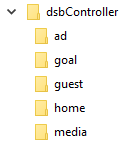
Create a folder called dsbController in the root of the drive (for example, A:\dsbController). Inside the dsbController
Create folders: ad, goal, guest, home, and media.
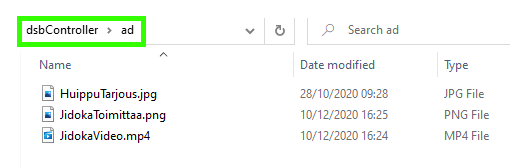
- adAdvertisements to be shown on the scoreboard that can be both images and videos. If you upload multiple images or videos
Into the folder, they will all be presented sequentially on the scoreboard display, one after the other.
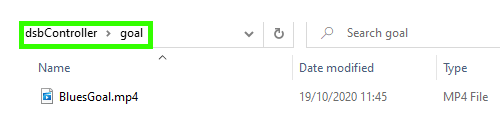
- goal Video - A file that is displayed when the ”GOAL VIDEO” button is pressed on the controller device. Only one video should be placed in the folder. If there are multiple files in the folder, only one of them will be used on the controller device in select sports where the function is available.
- Guest. Logo and name of the guest team. The logo is an image file called ”guest” and the name is a .txt text file (for example guest.txt) the first line of which is the name of the guest team.
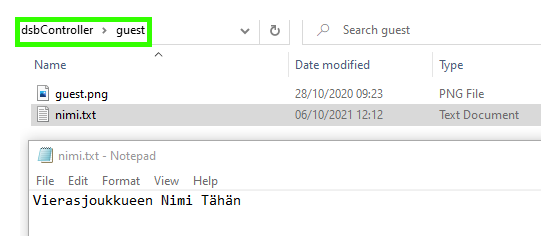
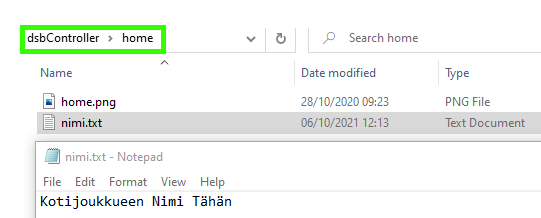
- home The content is just like the previous guest folder, except the logo is titled ”home.png” or ”home.jpg” and the text file can be, for example, home.txt.
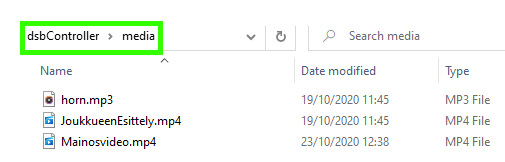
- media Video and audio files that are played with the navigation bar's ”Show video” and ”Play sound” buttons that open a list of all available videos/audio files, respectively.