Amerikansk fotboll – Bruksanvisning för det digitala resultattavlesystemet
Amerikansk fotboll – Bruksanvisning för det digitala resultattavlesystemet
https://jidoka.fi/wp-content/uploads/2022/06/Lippupallo-ohjekuva-800×450.jpg
Klicka här att få tillgång till en användarmanual för hjälp med att använda styrenheten före och under en match.
Den här sidan innehåller de preliminära stegen som behövs för att fullt ut kunna använda Jidoka digitala resultattavelsystem. Om du vill använda egna filer för att visa på skärmen
under en match måste filerna laddas upp till ett USB-flashminne före matchen.
Om du stöter på ett problem kontakta oss på support@jidoka.fi.
Filformatkrav
Bildfiler att visa på skärmen: jpg och png
Medie-/videofiler: mp4
Ljudfiler mp3 och våg
Filformat för annonser: jpg, jpeg, png och mp4
Upplösning för bild- och videofiler: 1920 x 1080 pixlar (FullHD), (16:9 bildförhållande
Logotypfiler för lag: PNG, jpeg eller jpg, minimum 400 x 400 pixlar (1:1 bildförhållande
Hur man förbereder USB-minnet för egna matchinnehåll
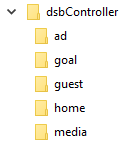
Skapa en mapp som heter dsbController till enhetens rot (till exempel A:\dsbController). Inuti dsbController
mapp skapa undermapp som heter annons, mål, gäst, hem och media.
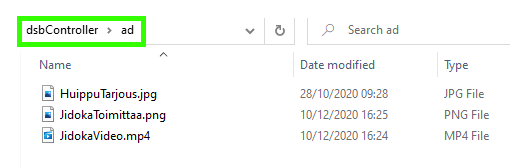
- annonsAnnonser som ska visas på resultattavlan som kan vara både bilder och videor. Om du lägger flera bilder eller videor
in i mappen, de kommer alla att presenteras sekventiellt på resultattavlans skärm, en efter en.
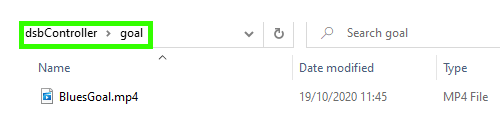
- mål: video -fil som visas när du klickar på knappen ”MÅLFILM” på kontrollenheten. Lägg bara 1 video i mappen. Om det finns flera filer i mappen används bara en av dem, på kontrollenheten i utvalda sporter där funktionen är tillgänglig
- gäst: Logotyp och namn för gästlaget. Logotypen är en bildfil som heter ”gäst” och namnet är en .txt textfil (till exempel gäst.txt) vars första rad är namnet på gästlaget.
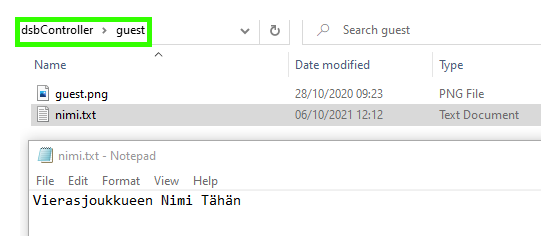
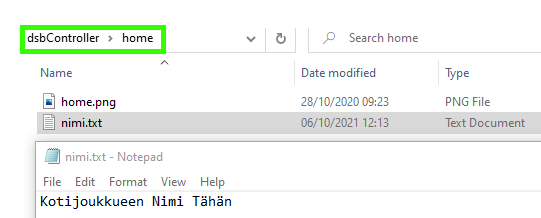
- hem: Innehåll är precis som den föregående gästmappen, förutom logotypen är titlad ”home.png” eller ”home.jpg” och textfilen kan vara, till exempel, home.txt.
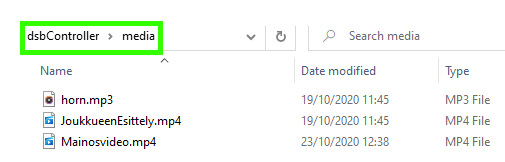
- media Video- och ljudfiler som spelas upp med navigeringsfältets knappar ”Visa video” och ”Spela upp ljud” som öppnar en lista över alla tillgängliga videor/ljud, respektive.